
Plan the Work.
Work the Plan.
Pilot brings planning and execution into one system. Build work packages, estimate jobs, order materials, confirm readiness, and track field progress in real time.
The event is managed across fragmented systems with no single source of truth.
Information lives everywhere
Scope, work packages, materials, progress, and cost are scattered across spreadsheets, personal drives, shared folders, contractor systems, and disconnected software.
Every team works from a different system.
Planners, contractors, field teams, and leadership operate in separate tools, making it difficult to know which information is current or complete.
Contractors control the updates
Progress and cost reporting depend on contractor-provided updates. Leadership sees a delayed summary instead of a direct, transparent view of what is happening in the field.
Pilot connects the schedule to the field.
Pilot does not replace Primavera P6, SAP, or Maximo. It connects the activity on the schedule to the work package, materials, and crew responsible for executing it—giving the entire team one current view from scope development through close-out.
5 core capabilities for planning, readiness, and field execution.
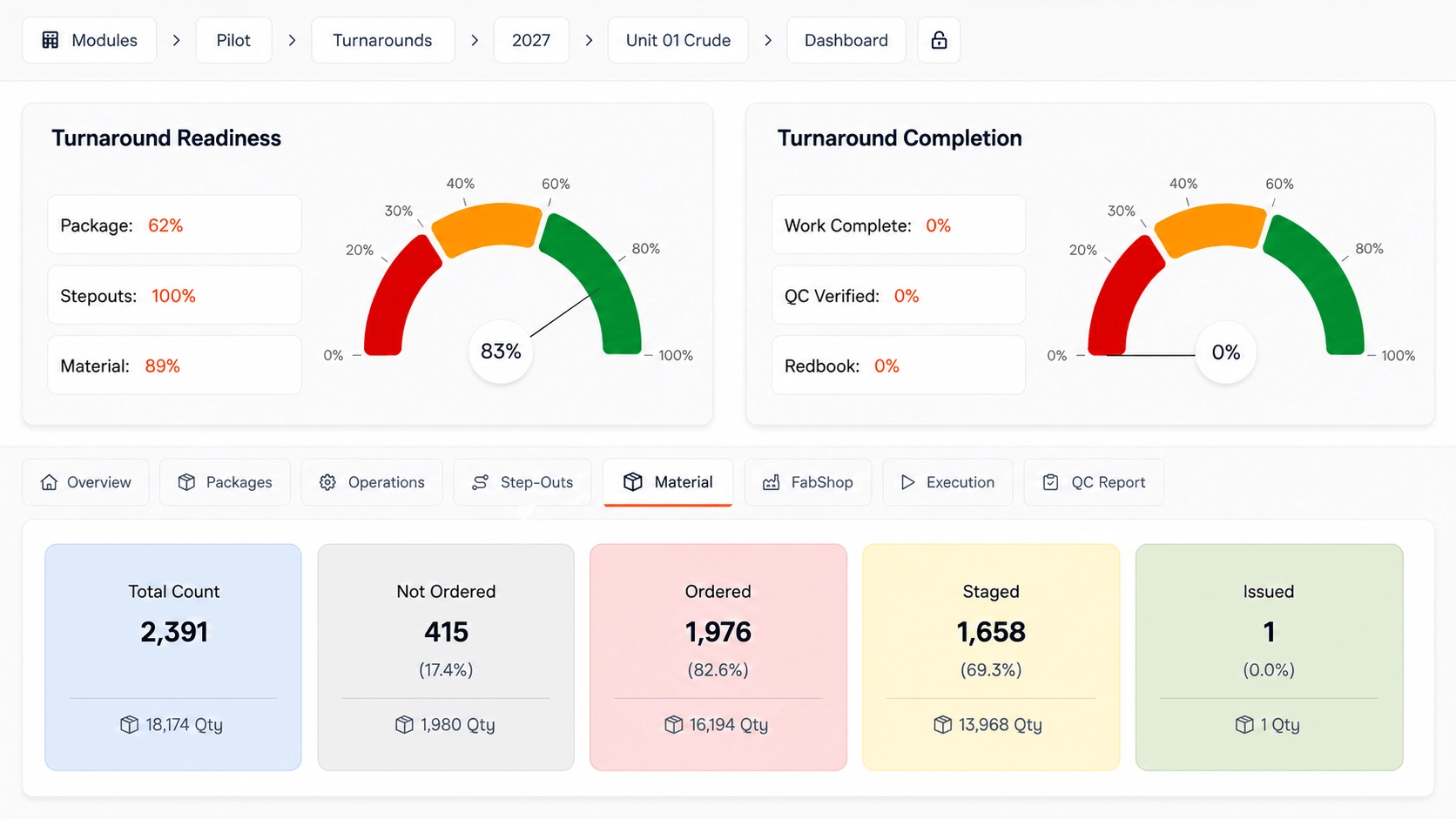
Work List
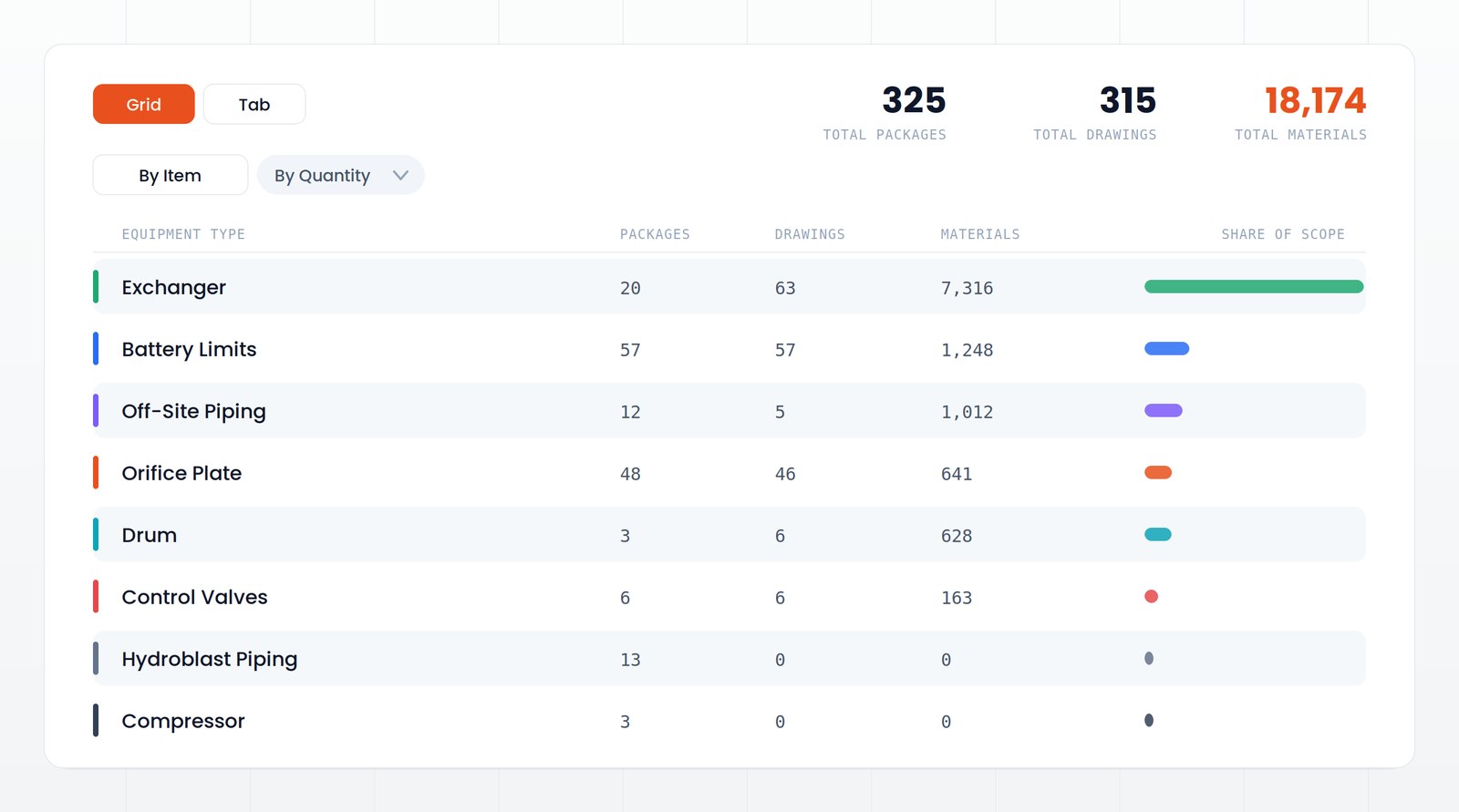
An antire Turanround on one page - all of information in once place see every job, every status every risk before it happens. scop inrofmation equipment information, job packages, stepours this usually is found in multile places.
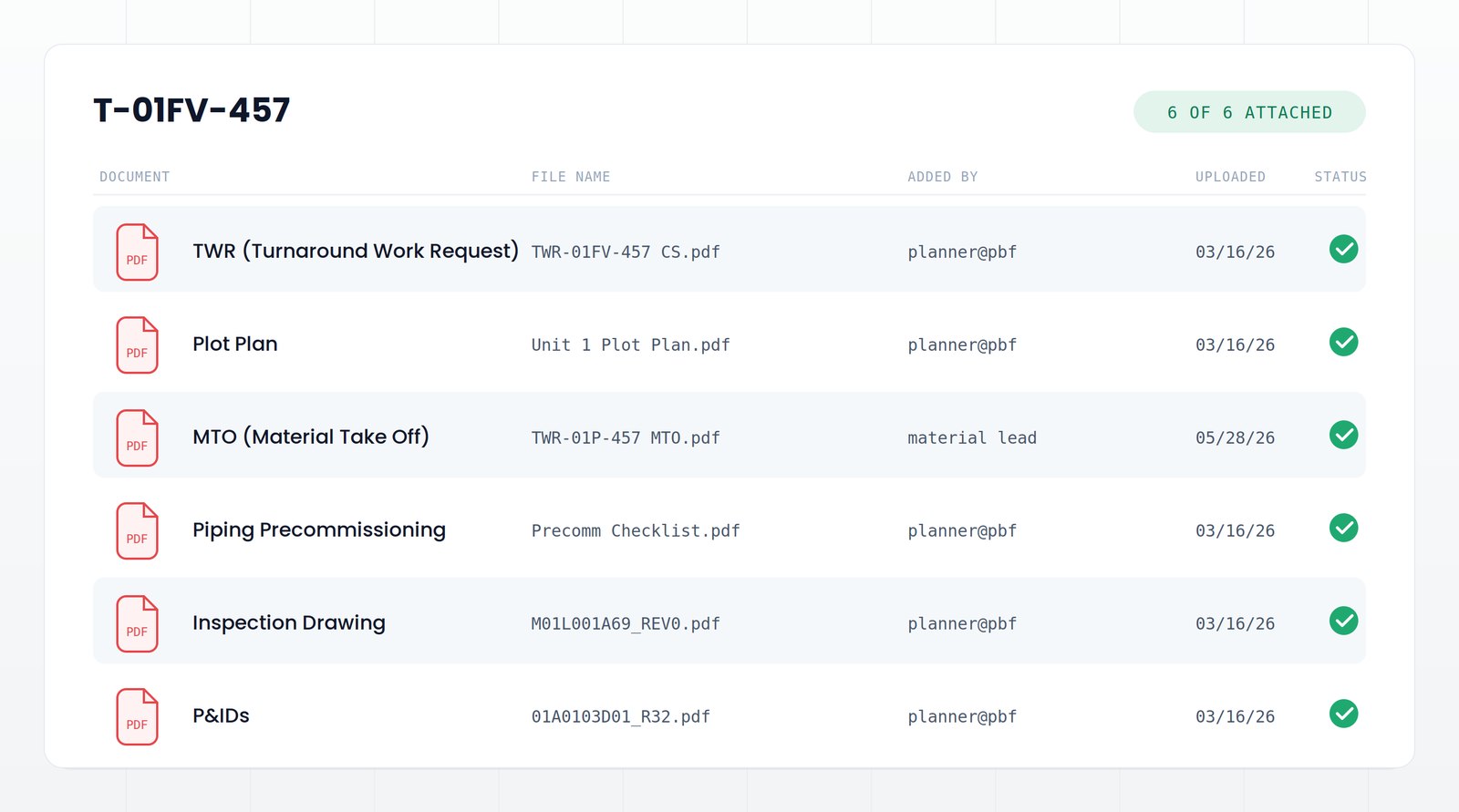
Work packages and document control
Work scope, plot plan, material take-off, inspection drawings, precommissioning checklists, and P&IDs bound to the package they belong to. One current revision, attachment status visible at a glance.
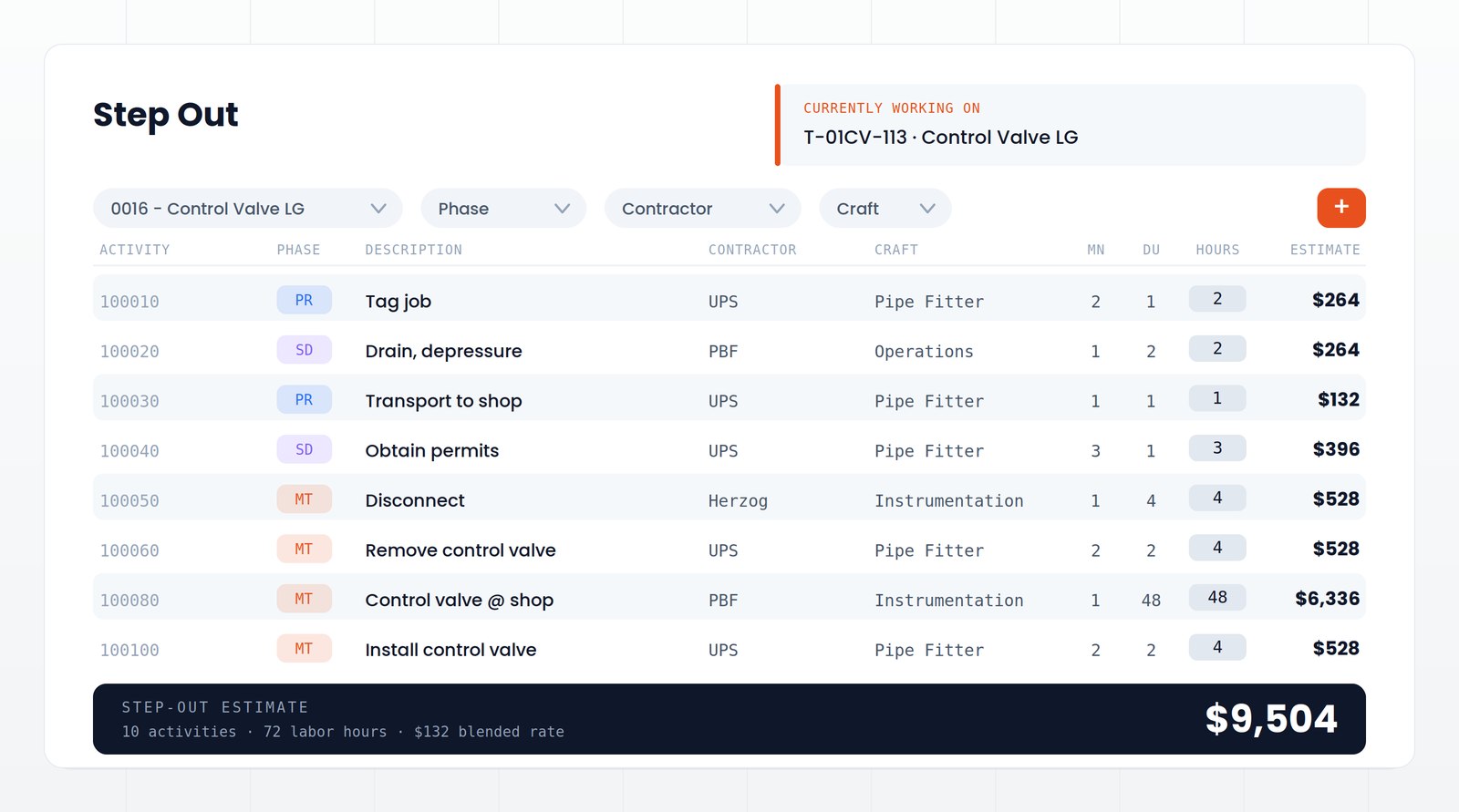
Step-outs, cost, and labor estimating
Sequence every activity by contractor, craft, manpower, duration, and hours. Reduce planning time and staffing by building a reusable step-out library that becomes more accurate with every event as actual durations are captured.
Field progress capture
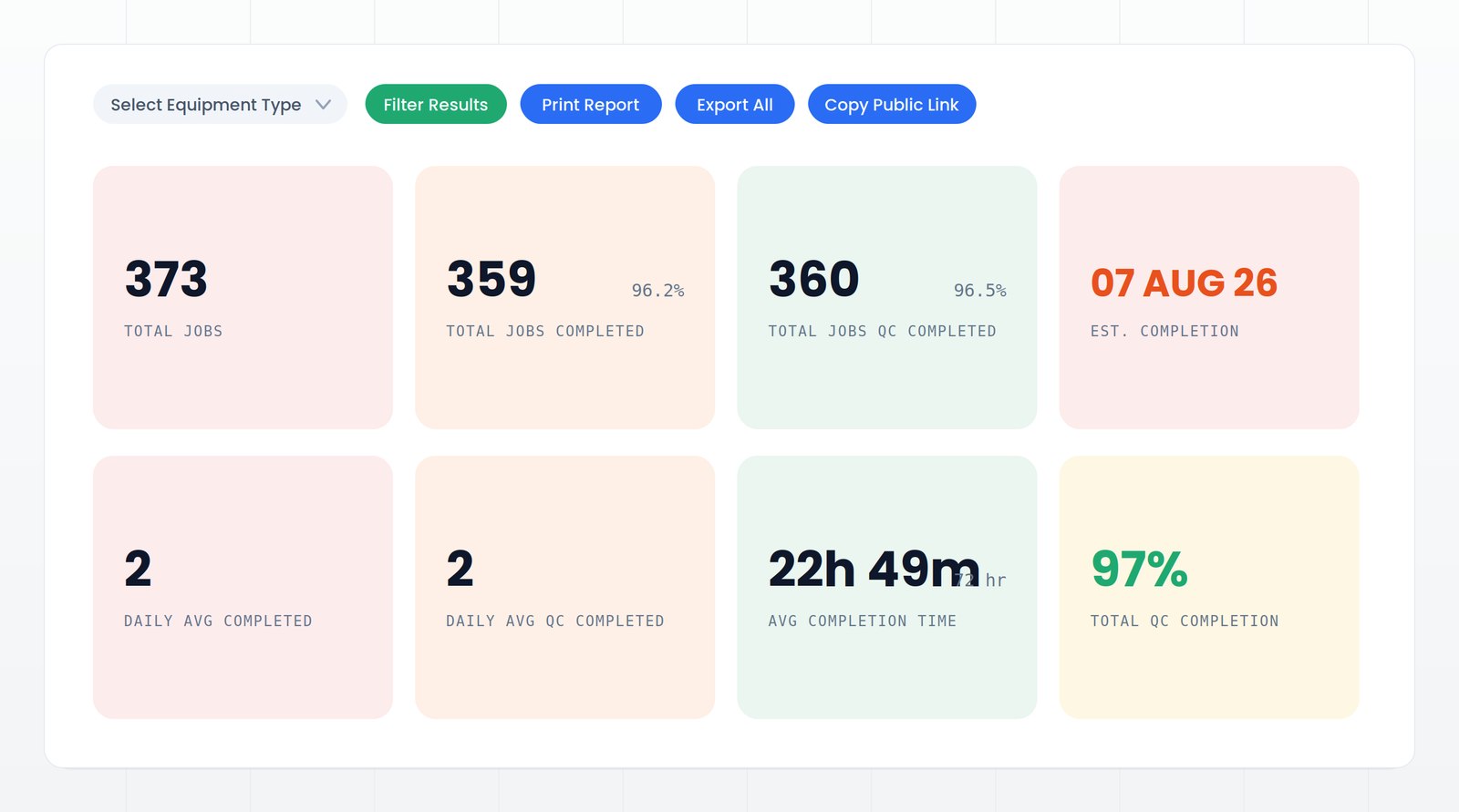
Crews scan barcoded jobs in the mobile app and update progress where the work happens. Electronic wall charts and live reporting show job completion, QC status, average duration, and estimated finish—eliminating delayed reporting and sandbagging.
QA, QC, and turnover
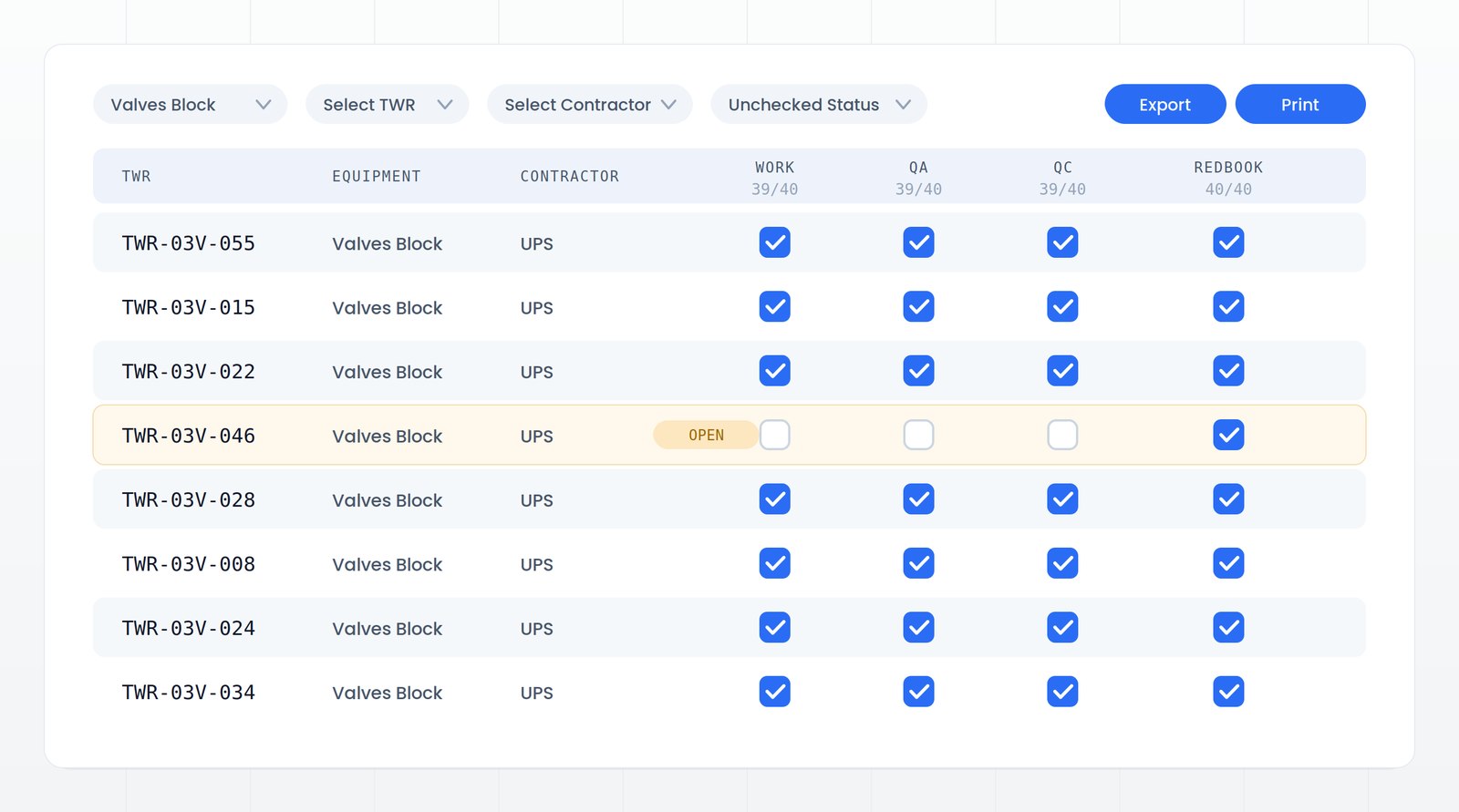
Track work completion, QA, QC, and Red Book signoff line by line by TWR and contractor. Open items surface immediately, keeping turnover moving and preventing a backlog at the end of the event.
It works with what you already use.
Primavera P6
Schedule activities, dates, dependencies, and critical path remain authoritative in P6.
SAP / Maximo
Notifications and work orders flow into Pilot, while completion updates flow back.
Flow & Vault
Material requirements connect to Flow, and approved scope and estimates connect to Vault.
Three people, three views.
Turnaround planner
Develops work packages, estimates jobs, and orders material.
Field supervisor
Marks jobs complete in real time, coordinates quality assurance, and completes handoffs back to Operations.
TA superintendent
Reads one picture each morning: what moved, what didn't, what's at risk.
Live in weeks. Easy to adopt.
Pilot can be deployed as a standalone solution or as part of the EZTRAK ecosystem. Most users are trained in under 60 minutes, with rollout completed in weeks, not months.
See what your next turnaround could save.
Answer six questions in under two minutes and receive a conservative savings estimate based on results from live events. Find out where better visibility, control, and execution could make the greatest impact.