
01Why turnaround platforms get abandoned
Companies that bought a centralized turnaround platform are quietly letting sites choose their own tools again. The reasons repeat from site to site: the product was too complex for field crews, it was missing capabilities the sales demo implied, the customization that was promised never shipped, support thinned out after go-live, and teams kept working around it. The result is fragmentation. Data scatters across spreadsheets, standalone tools and contractor systems, and leadership loses the ability to compare one site with another.
The second failure is quieter. Leadership assumes the turnaround software covers the whole event. Ask the team how many tools they use beyond SAP, P6 and the turnaround platform, and the answer is usually between five and ten: Power BI, a custom app, a shared drive, email, paper and dozens of spreadsheets. Each adds a license, a login, an export and a re-entry. Because leadership sees only what reaches the platform, overdue milestones, unapproved changes and unordered material stay hidden until the decision has already been made.
An evaluation should test for both failures: can the product do the job, and will the team work inside it?
02The eight capabilities to test
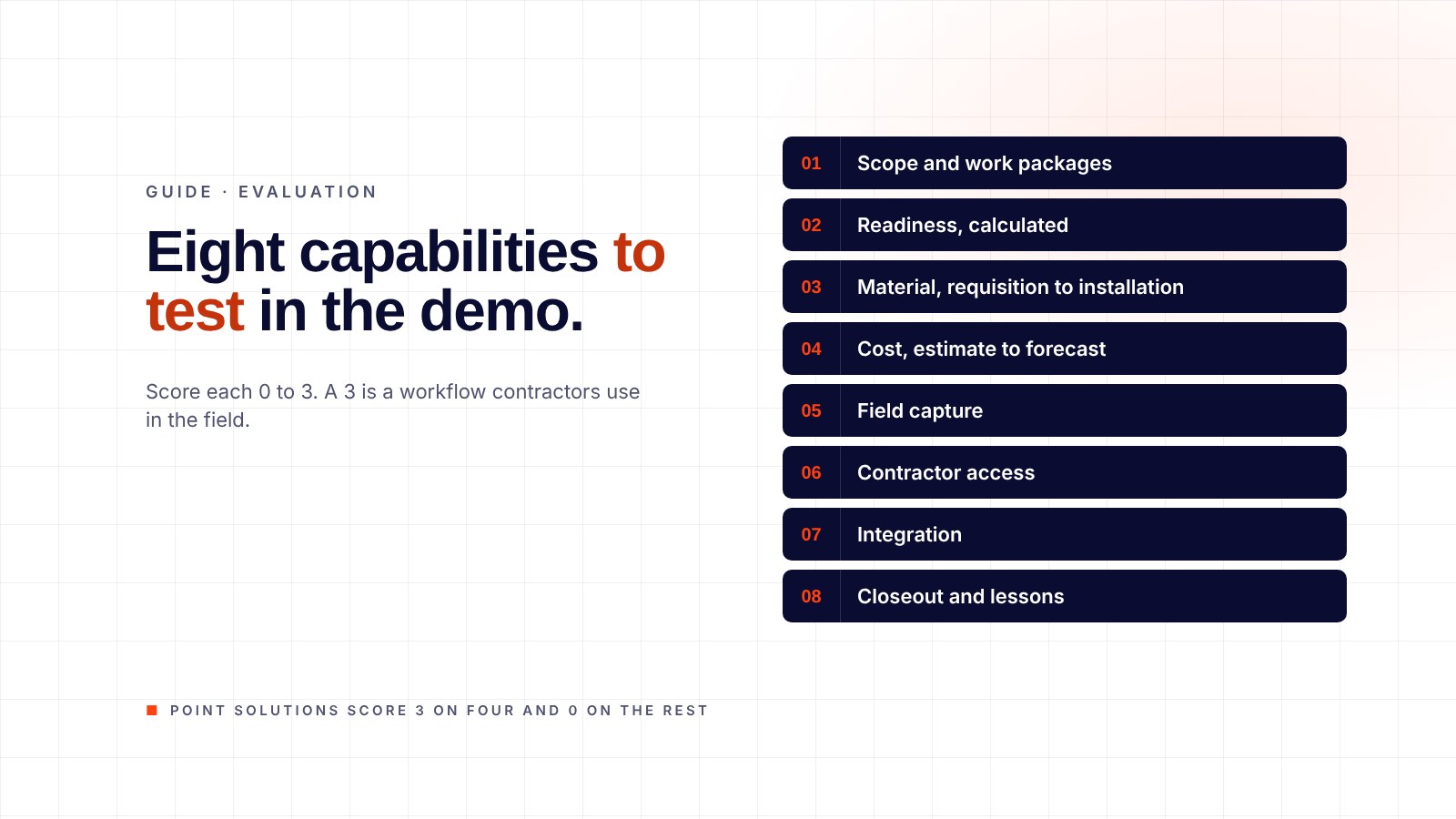
Score each from 0 to 3 in the demo: 0 not there, 1 a report, 2 a workflow, 3 a workflow contractors use in the field.
| # | Capability | What to see in the demo |
|---|---|---|
| 1 | Scope and work packages | A package with its steps, crew, permits and drawings, tied to the schedule activity |
| 2 | Readiness, calculated | A percentage computed from the packages and material, not typed in |
| 3 | Material, requisition to installation | One item followed through requisition, purchase order, receipt, staging, issuing and installation |
| 4 | Cost, estimate to forecast | Estimates, bids, budget, daily cost, manpower, forecast and scope changes in one place |
| 5 | Field capture | Progress, QA and discovery work recorded where the work happens, on a phone or tablet |
| 6 | Contractor access | Contractors working inside the system with time-limited, role-based access |
| 7 | Integration | Reads from SAP; feeds work steps and progress to P6; writes back where you want it to |
| 8 | Closeout and lessons | A job closed within hours of the work, and the record kept for the next event |
A product that scores 3 on four of these and 0 on the rest is a point solution. It will become one more tool on the list in the second failure above.
03Demo questions that expose gaps
Bring one real problem from your last turnaround and ask the vendor to work it live. Then ask these.
Show me a work package the field would see on a phone. Who built it, and how long did it take?
Add a scope item after the freeze. Where does it appear, who approves it, and when does it reach the forecast?
A bundle is late. Show me where the shortage shows, and against which activity date.
Two contractors quote the same scope. Show me the comparison line by line.
What did this cost as of the end of the last shift? Not last month: the last shift.
A contractor demobilizes. What leaves with them?
What access does your product need to our SAP and our network? The right answer is "none to start" (see the security paper).
How many of your customers' users are contractors, and how long did they take to train?
04Rollout and contract terms
| Term | What to look for | Why |
|---|---|---|
| Time to a working system | One to two weeks | Anything longer means configuration is being built from scratch |
| Full rollout | Four to six weeks | Long enough to configure, short enough to prove before the next event |
| User training | Under an hour for a field user | Crews will not attend a two-day course |
| First term | Month to month, cancel anytime | The product should prove itself before a multi-year commitment |
| Customization | Configured to your process, by the vendor, inside the rollout window | Promised customization that ships later rarely ships |
| Support after go-live | Named people, response times in hours | Thin support is the most common reason sites stop using a platform |
05Scoring
Add the eight capability scores (maximum 24). Below 12, the product is a point solution. Between 12 and 18, expect to keep two or three of your current tools. Above 18, the product can carry the event, and the decision comes down to rollout terms and what the team will use. Weight the result by the demo questions: a product that cannot answer question 5 cannot run a turnaround, whatever it scored.
06Common mistakes in the evaluation
Scoring the vendor's demo data. Insist on your own: one real work package, one real purchase order, one real contractor estimate. A product configured around your data in the demo shows what rollout will look like.
Letting IT run the evaluation. IT should check security and integration; planners, material coordinators and cost engineers should score the workflows, because they are the people who will either use it or work around it.
Scoring features instead of workflows. A feature list says material tracking is included. A workflow shows who scans the item at staging and what the crew sees on the phone.
Leaving contractors out. If contractors will work inside the system, one of them should sit in the demo. Their objections now are cheaper than their workarounds later.
Skipping the second-event test. Ask to see how the next turnaround starts from this one's packages, material lists and contractor performance. A product with no carry-over resets the site to zero every cycle.
Treating the contract as a formality. The month-to-month first term and the four-to-six-week rollout are what keep the risk with the vendor. A product that cannot offer them is asking you to carry it.
07Where EZTRAK fits
EZTRAK is one turnaround software platform with three modules: Pilot for planning and execution, Flow for material and Vault for cost. Contractors work inside it, it reads from SAP and feeds P6, and it needs no ERP credentials to start. A working system is live in one to two weeks, full rollout in four to six, and the first term is month to month. At PBF Torrance it has supported 128 turnarounds and capital projects since 2021, with 99%+ end-user adoption in the field.
Before a demo, the Turnaround ROI Calculator gives a conservative savings estimate from six questions, so the evaluation starts with a number.
08Frequently asked questions
Should we evaluate one module at a time?
Yes, if the vendor allows it. Start with the capability that hurt most on the last event, usually material or cost, and add the others once the team is working inside the system.
How much IT involvement does an evaluation need?
For a product that needs no ERP credentials, none until you decide to integrate. Ask the vendor for its security paper before the demo.
How long should the evaluation take?
Two demos and one reference call fit in three weeks. A pilot on one live turnaround is the real test; a product that rolls out in four to six weeks makes that possible.
What does a turnaround platform cost compared with the event?
Published pricing varies. Measure it against the turnaround budget: material alone is 30 to 40% of spend, and waste runs about 10% of material cost.
Bring the problem from your last turnaround.
Fifteen minutes on a live system, working your scope, material or cost problem rather than a scripted demo. Or call 626-327-6348.