
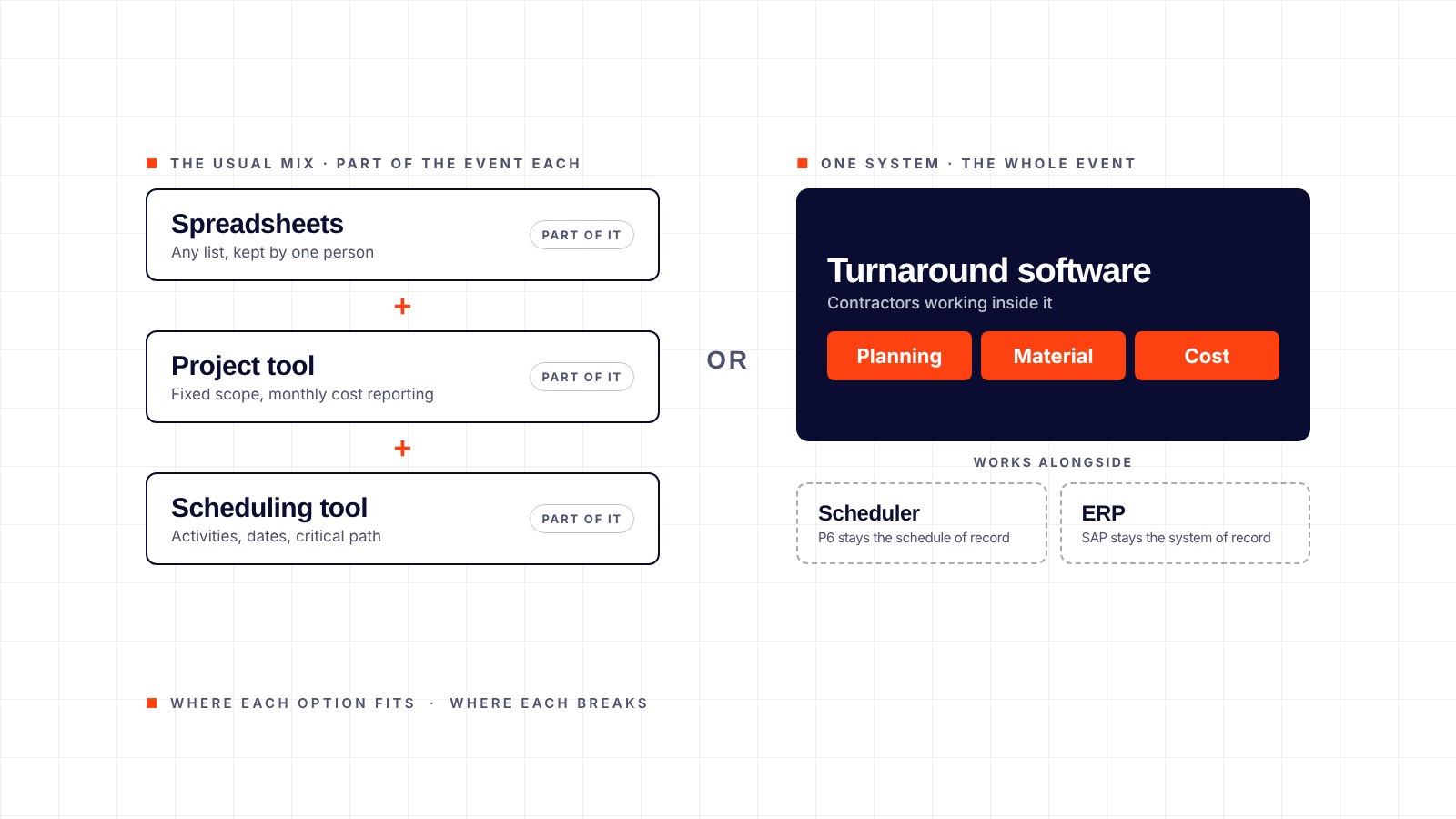
01What each option handles
Spreadsheets
Any list, kept by one person
Dozens of copies and no single current version; nothing is captured in the field, so leadership sees last week’s numbers
General project management tools
Fixed scope, a long runway and monthly cost reporting
They assume a fixed scope and a long runway; most have no material flow from requisition to installation and no contractor cost capture by shift
Scheduling toolsPrimavera P6 and similar
Activities, dates, dependencies and the critical path
They hold the schedule well; the work packages, material readiness and contractor cost the activities depend on usually live in other tools
Turnaround softwareEZTRAK
Planning, execution, material and cost on one event, with contractors working inside the system
It is not a scheduler and not an ERP; it works alongside both
02What to evaluate
Six questions separate the options. Ask each of a spreadsheet, a project tool, a scheduler and turnaround software, and the answer is usually clear by the third.
- Work packagesCan the field see the package, and is readiness calculated from the work rather than asserted in a meeting?
- MaterialIs every item followed from requisition and purchase order through receipt, staging, issuing and installation?
- CostAre estimating, bids, budget, cost and manpower reporting, forecasting and scope changes in one place and current by shift?
- Field captureIs progress recorded where the work happens, or re-entered later?
- ContractorsDo they work inside the owner’s system, so estimates and reports arrive in one format?
- RolloutWeeks with a month-to-month start, or a multi-year contract before the product is proven?
03Where EZTRAK fits
EZTRAK is three modules on one platform: Pilot for planning and execution, Flow for material management and Vault for cost tracking. It works alongside SAP, Maximo and Primavera P6, rolls out in four to six weeks and starts month to month. At PBF Torrance it has supported 128 turnarounds and capital projects since 2021.
04When EZTRAK is not the right fit
A single small outage with one contractor and no material scope runs fine on a spreadsheet. A team that only needs activities and dates needs a scheduler, not EZTRAK. EZTRAK earns its place when scope, material and contractor cost change daily and several parties need the same current picture.
05Frequently asked questions
Does EZTRAK replace Primavera P6?
No. P6 stays the schedule of record. EZTRAK holds the work packages, material and cost around it.
Does it replace SAP?
No. SAP stays the system of record for purchasing and finance. EZTRAK reads from SAP. Writing back is optional and configured per site; sites that prefer not to integrate transfer data by import and export.
Can we keep our spreadsheets?
Yes, during rollout. The usual outcome is that they stop being needed. One site consolidated more than 20 spreadsheets and paper forms into EZTRAK.
How long does rollout take?
Four to six weeks, with a working system in one to two weeks. Users train in under an hour.
See the three modules on one event.
The quickest way to judge the fit is a 30-minute demonstration on a live system, using one of your own work packages.
Want a number first? Start with the Turnaround ROI Calculator, or call 626-327-6348.