
[ Operator Qualification & Contractor Management Software ]
One Record for Everyone Who Works on Your System.
EZTRAK Vouch is where a gas utility manages who is qualified to work on its system. Each contractor employee has one record for training, hands-on evaluations and drug and alcohol status, with identity checked on remote tests and at the job site.
The work is done by contractors. The responsibility stays with the utility.
A passed test does not prove who took it
A remote course records a name and a score. Without an identity check, nothing ties that result to the person on the job.
People change contractors
Employees move between companies. A history kept roster by roster is hard to follow from one employer to the next.
Every contractor runs its own drug and alcohol plan
Plans and testing pools belong to each contractor. Knowing that each one holds up is still the utility’s job.
Vouch connects the contractor, the employee and the job site.
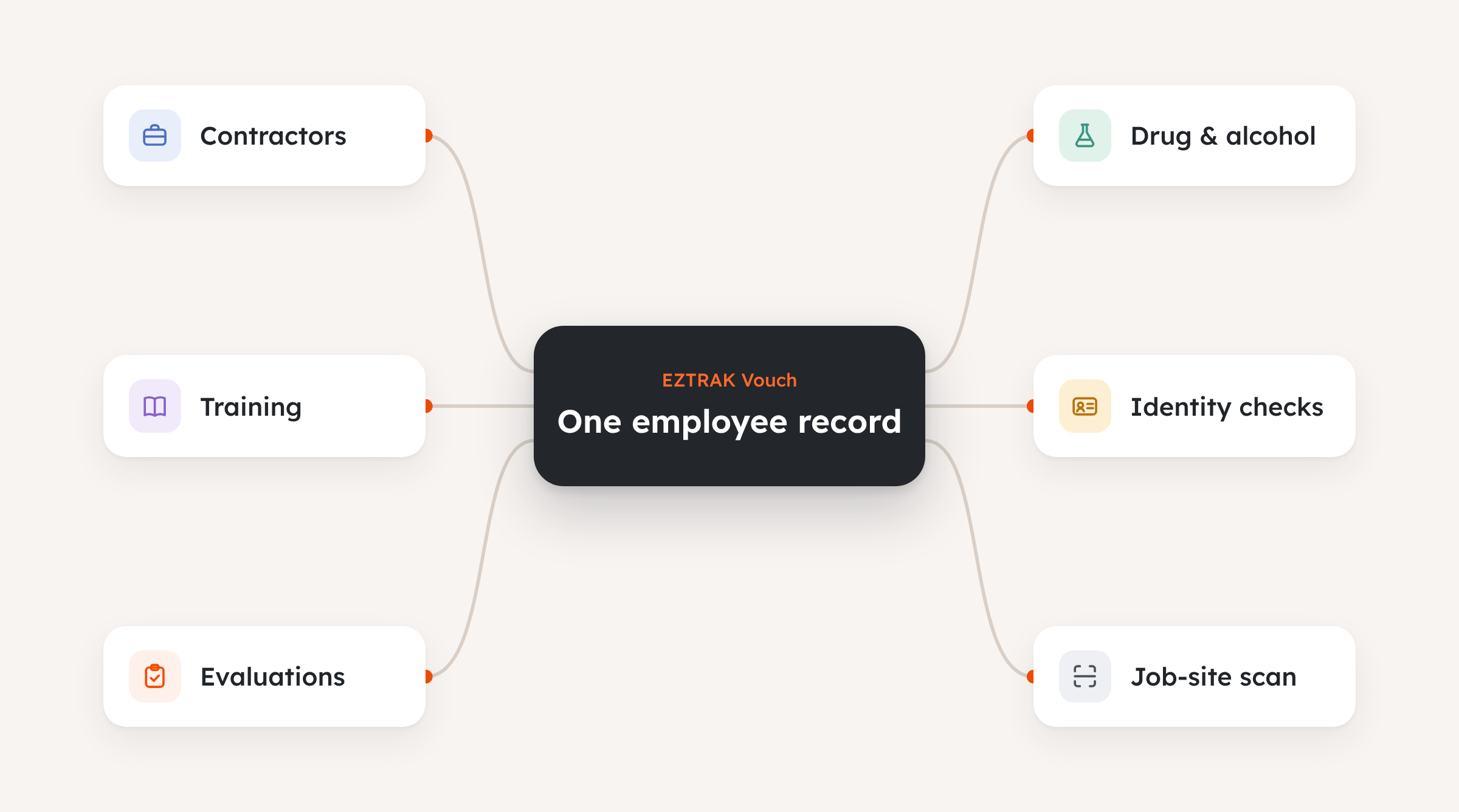
Your written operator qualification program and your drug and alcohol plan stay yours. Vouch is where their requirements are assigned, completed and recorded. The utility sets what each work type requires. Contractors keep their rosters. Evaluators record results. Every result lands on the employee’s record, and that record is what the job site checks.
From a contractor’s first registration to a scan at the job.
8 Core Capabilities, From Registration to the Job Site
Contractor Registration & Work Types
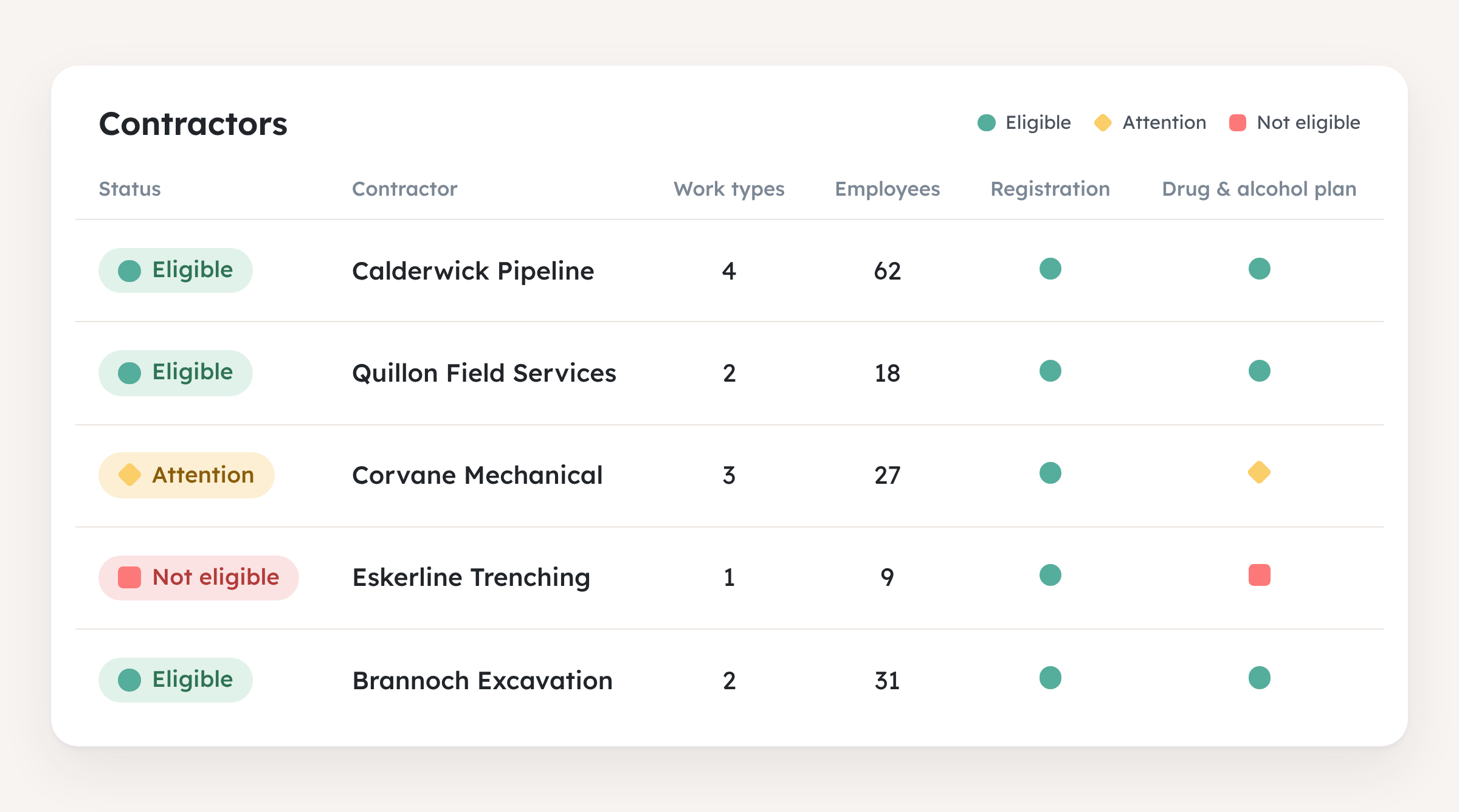
Contractors register themselves and submit what the utility requires. The utility approves each company for the work types it may perform, and a company’s status follows directly from its open requirements, so there is one place to see who is eligible and why.
One Employee Record
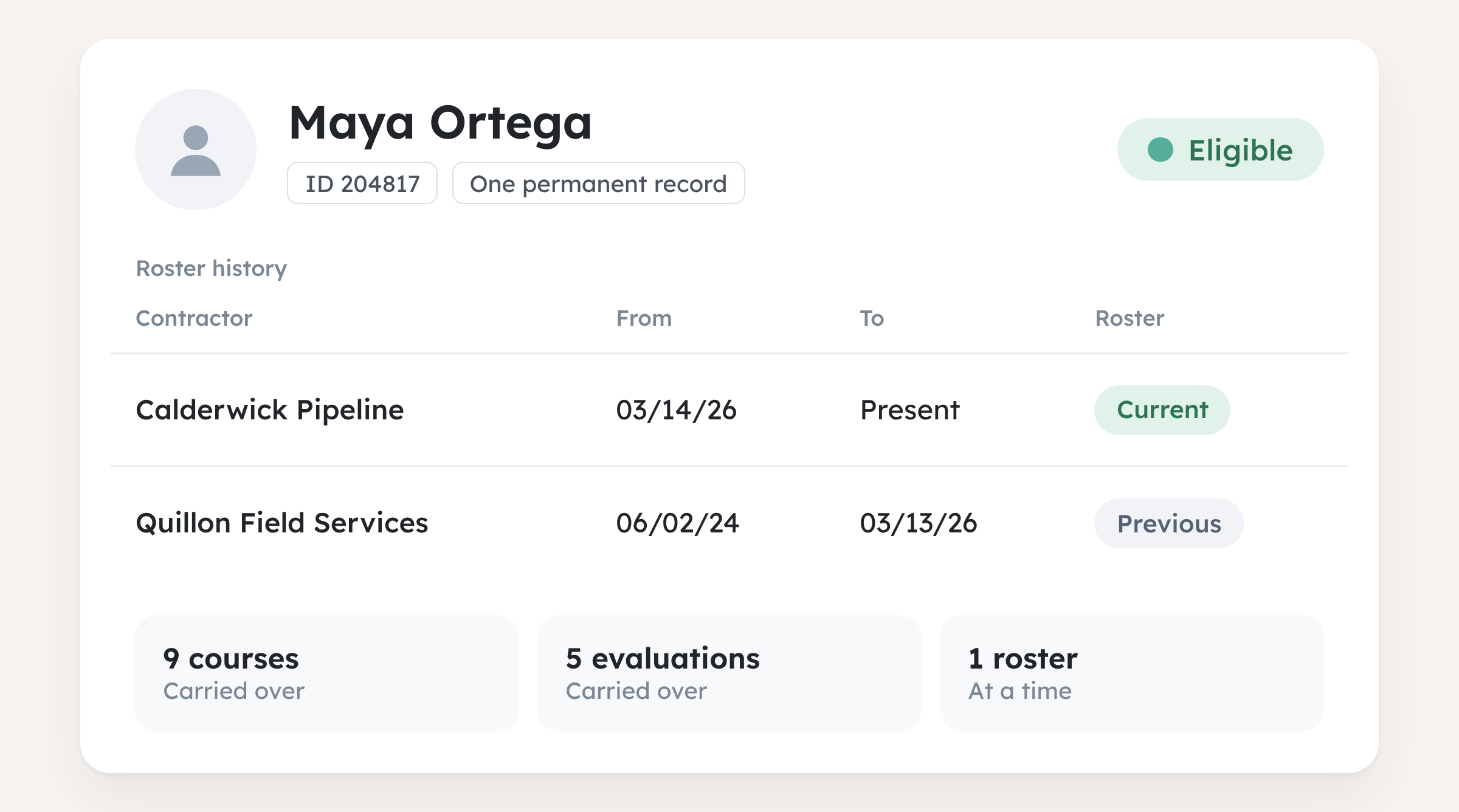
Every employee has one permanent record that moves with them from contractor to contractor. A contractor adds a person to its roster by exact match on their identification, never by browsing, and an employee sits on one roster at a time.
Training & Testing
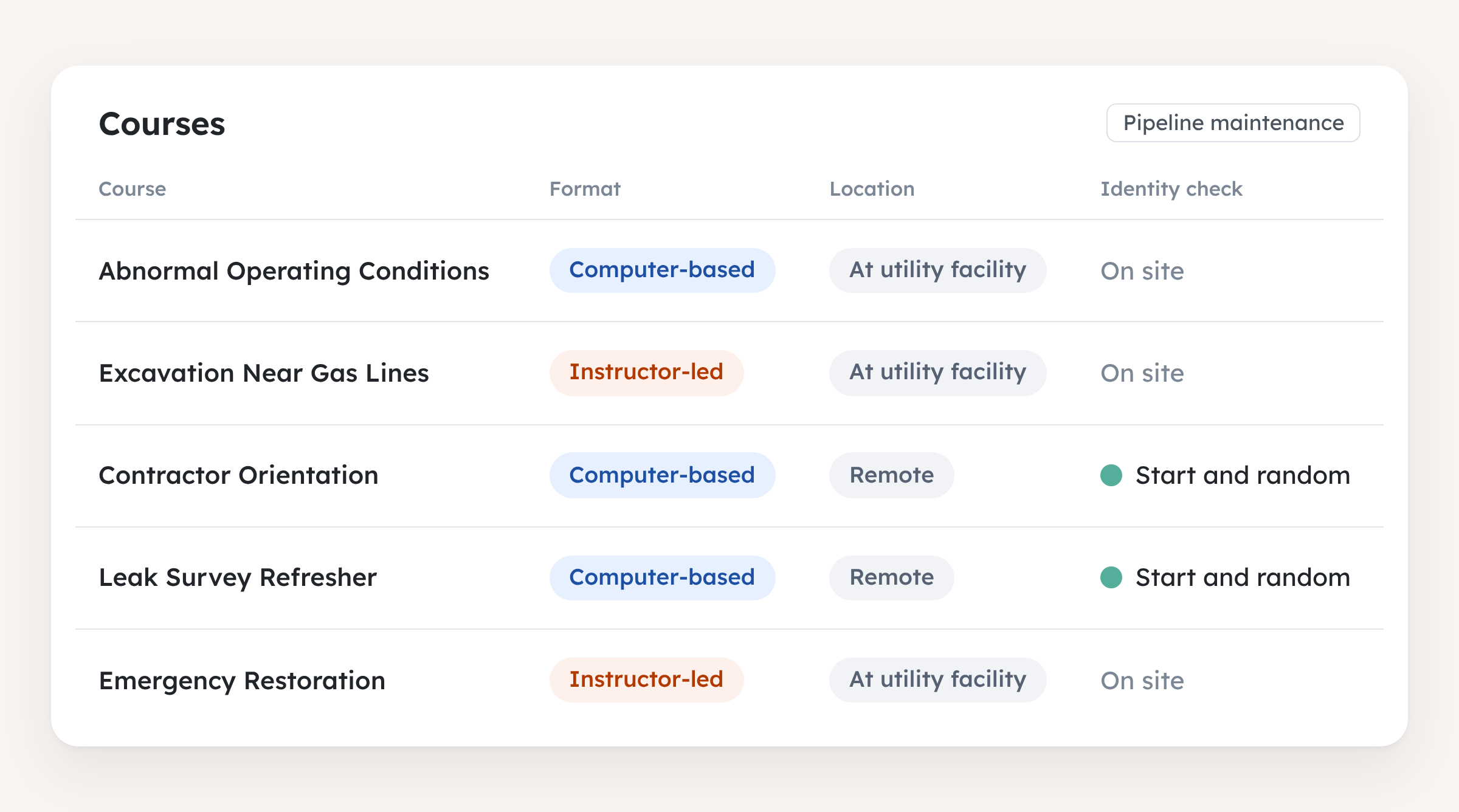
The utility brings its own course library and builds new courses as the program changes. Each course is set as instructor-led or computer-based, and as taken at the utility’s facility or remotely, with question formats that include reading passages and questions marked critical.
Identity Verification
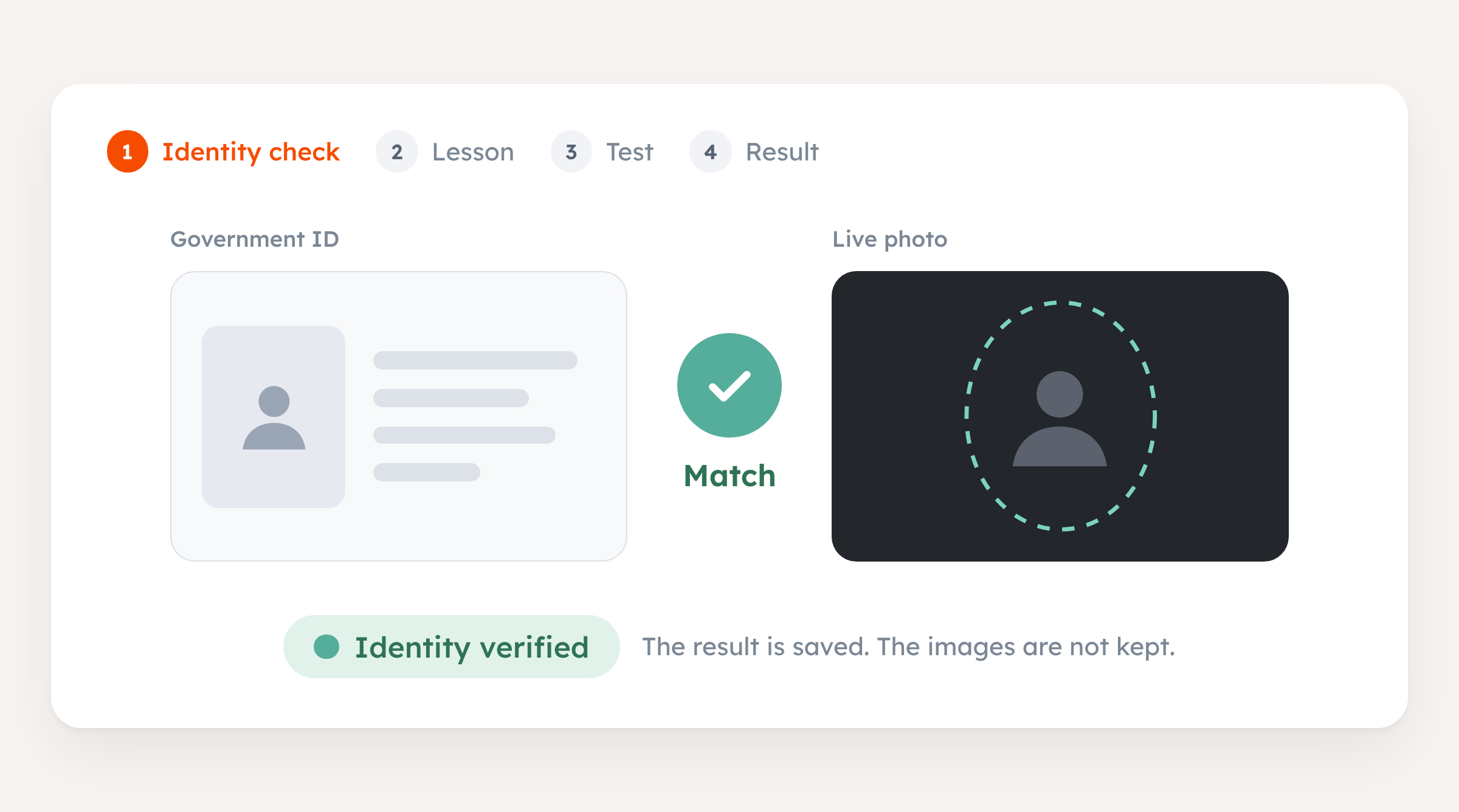
Before a remote test opens, the employee scans a government ID and takes a live photo, and Vouch compares the two. Checks repeat during the test, and the record keeps the result of each match, not the photo or the ID image.
Hands-On Evaluations
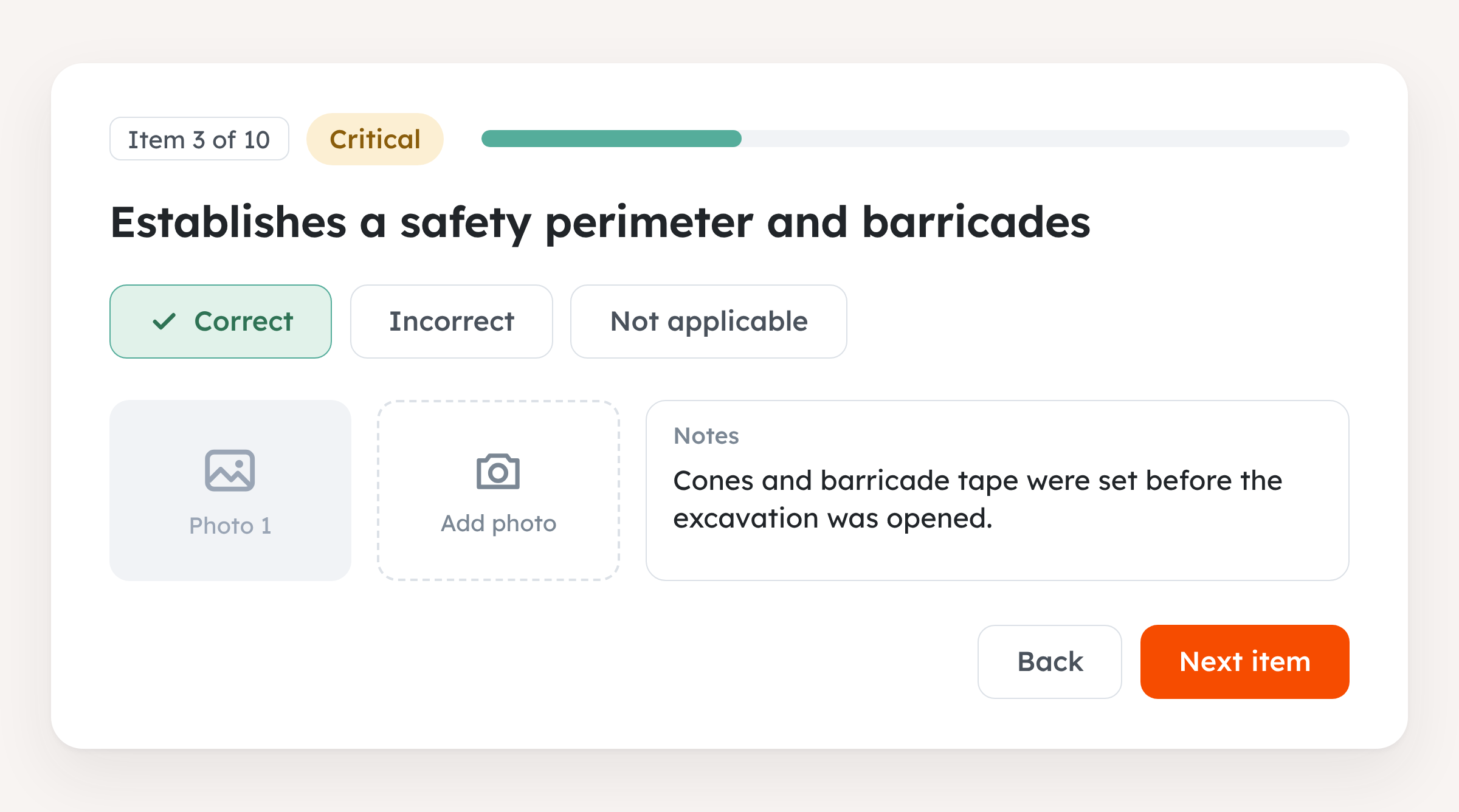
Evaluators publish their availability and contractors book employees into open times. The evaluator works through a guided checklist item by item, adds photos and notes as proof, and the evaluator and employee both sign before the result posts to the record.
Drug & Alcohol Program Tracking
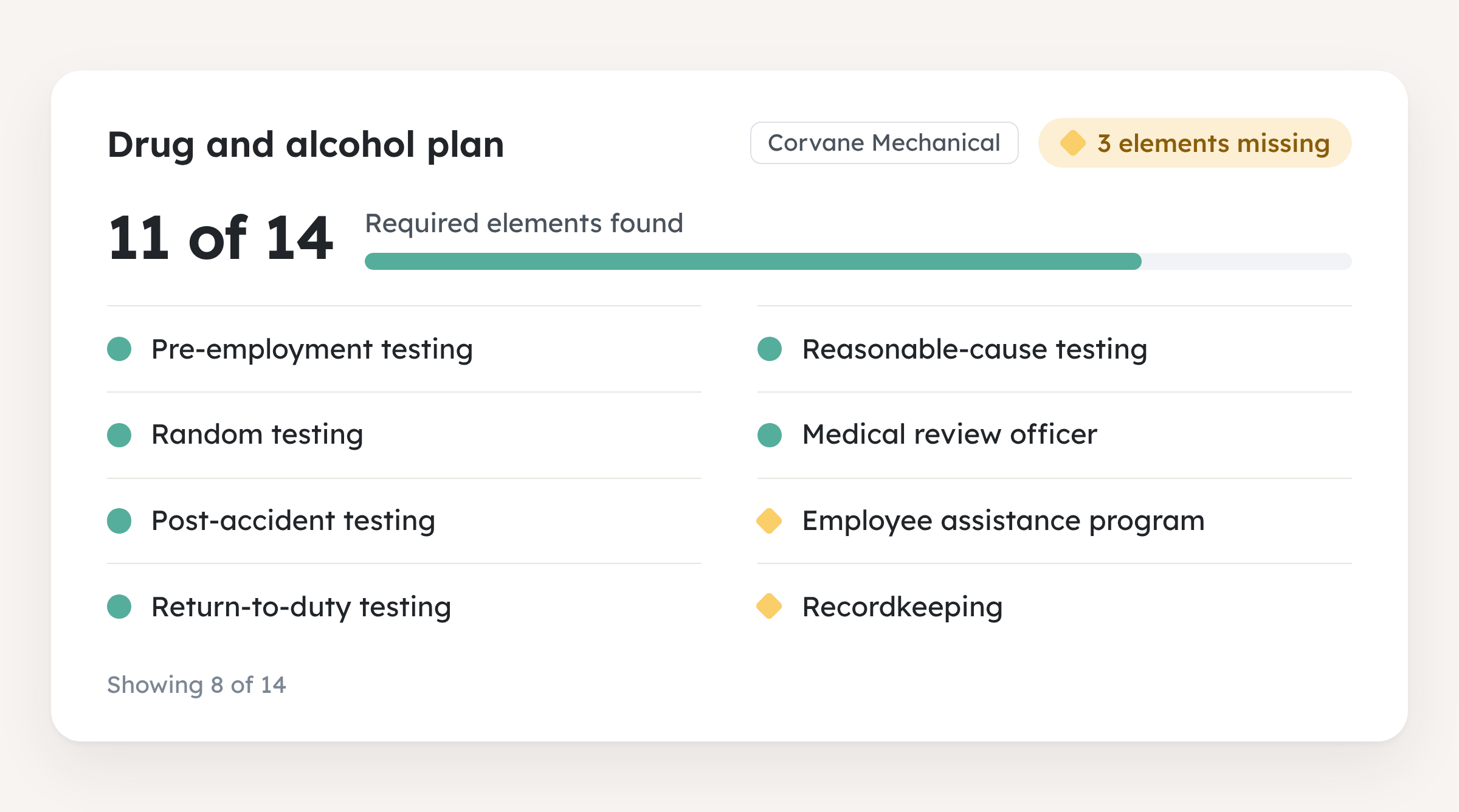
Each contractor uploads its drug and alcohol plan, and Vouch checks it for the required elements before a reviewer opens it. Every employee’s record shows testing-pool status, with random and post-accident tests visible to the utility. Vouch tracks status only, never test results.
Job-Site Scan
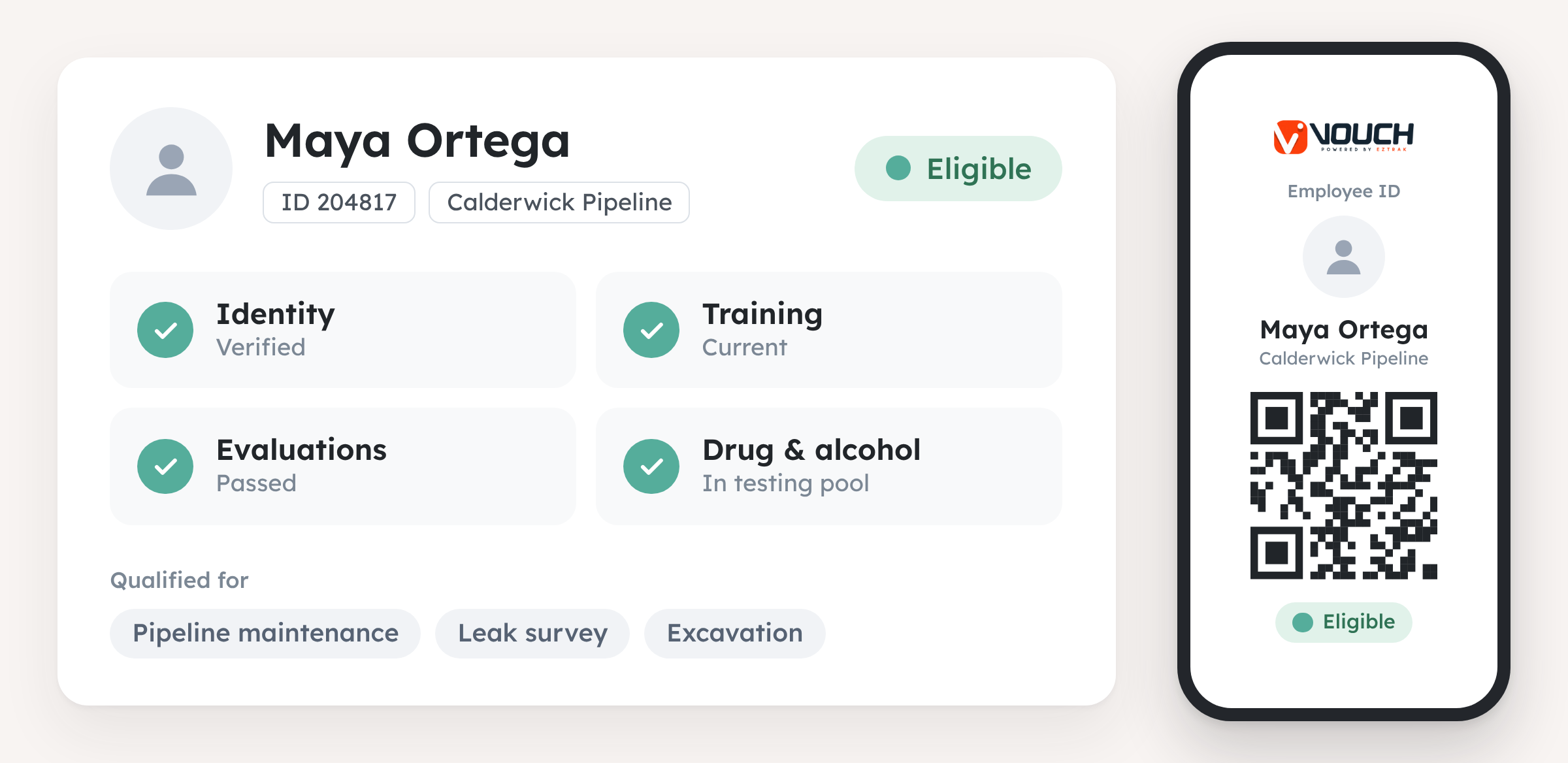
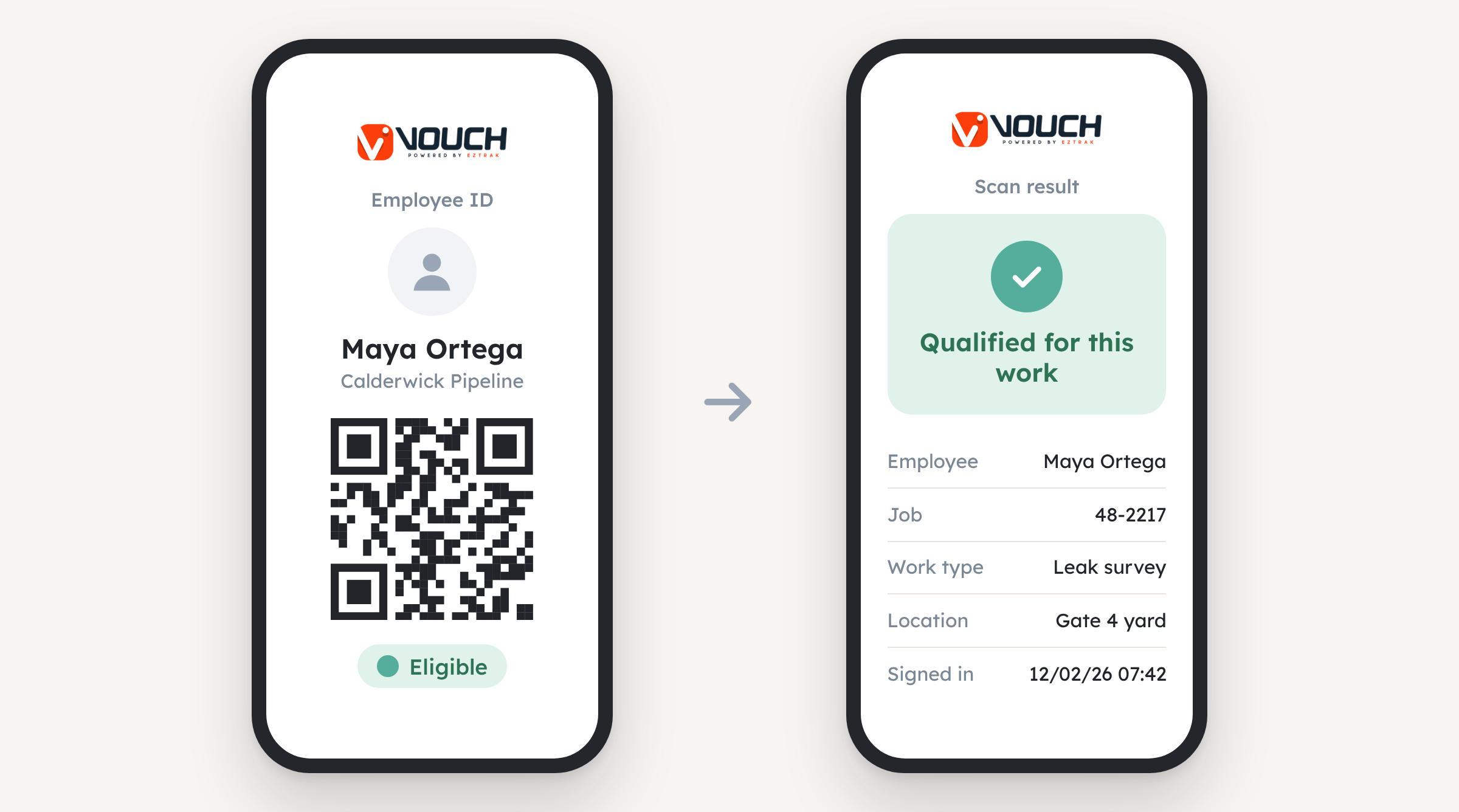
Each employee carries a digital ID on their phone. A foreman or utility inspector scans it to see the work that person is qualified for, and each scan is logged against the job number, location and type of work.
Announcements & Action Items
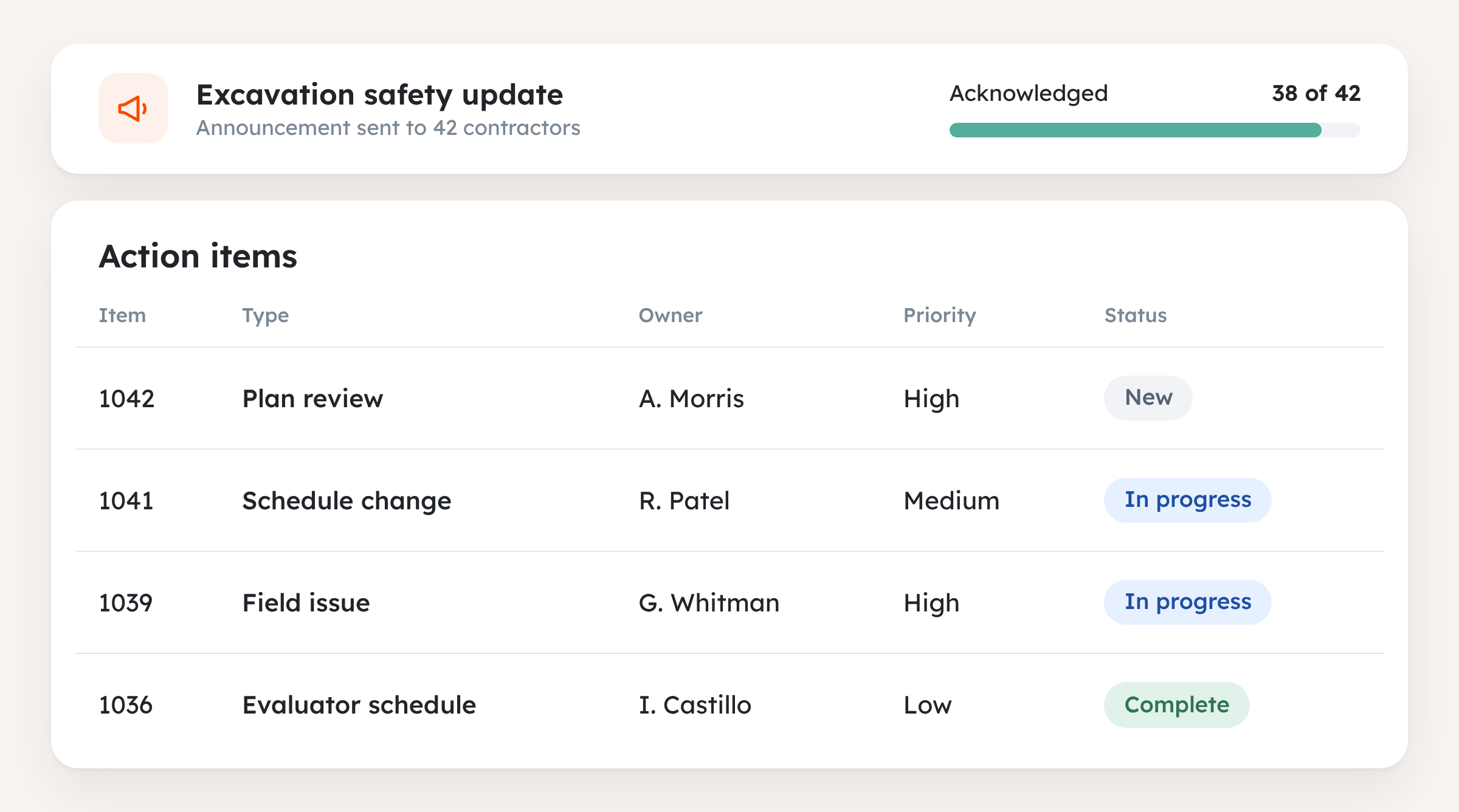
The utility sends announcements to every contractor and sees who has acknowledged them. Requests that need a decision, such as a plan review, a schedule change or a field issue, become numbered action items with an owner, a priority and a status.
Built and supported by the EZTRAK team
EZTRAK has built software for high-consequence industrial work since 2018, used by owner teams and the contractors they hire. The same team builds and supports Vouch, and leadership works directly with every account.
It works with the program you already run.
Your written programs
The operator qualification program and the drug and alcohol plan remain the utility’s own. Vouch carries out and records what they require.
Your courses and evaluations
Existing courses and evaluation checklists come in as the starting library. New ones are added as the program changes.
Your vendor records
Each contractor record carries the vendor number from the utility’s purchasing system, so both systems name the same company.
One license. No contractor fees.
No fees for contractors
The utility holds the license. Contractors and their employees register and use Vouch at no charge.
No installation cost
Setup, the import of the utility’s courses and contractor list, and training are part of the license.
Support for both sides
A dedicated account manager for the utility, direct support for its contractors, and changes made to fit the utility’s process.
Four people, four views.
Utility program team
Approves contractors, manages courses and evaluations, reviews plans, and sees what needs attention.
Contractor
Keeps its roster, books training and evaluations, and submits its drug and alcohol plan.
Evaluator
Sets availability, runs the checklist with the employee, and signs the result.
Employee and foreman
The employee carries a digital ID on the phone. The foreman scans the crew in at the job.
Built to hold less.
- Identification numbers are masked on screen. Contractors find a person by exact match only and never browse the database.
- Identity checks keep the result of the match, not the photo or the ID image.
- Drug and alcohol records show status only, never test results.
- Every change carries a name and a time, and the utility sets what each role can see.
Frequently asked questions
Does Vouch replace our operator qualification program or drug and alcohol plan?
No. Both remain the utility's own written programs. Vouch is where their requirements are assigned to work types, completed by contractor employees and recorded.
What do contractors pay?
Nothing. The utility holds the license, and contractors and their employees register and use Vouch at no charge.
Can we use our own courses and evaluations?
Yes. The utility's existing courses and evaluation checklists become the starting library, and new ones are built in Vouch as the program changes.
How is identity verified?
On a remote test, the employee scans a government ID and takes a live photo, and Vouch compares them before the test opens and again during it. At the job site, a foreman or inspector scans the employee's digital ID. Vouch keeps the match result, not the images.
Does Vouch store drug and alcohol test results?
No. Vouch shows status, such as whether a contractor's plan is approved and whether an employee is in a testing pool. It does not store results.
What happens when an employee moves to another contractor?
The record moves with the person. An employee sits on one roster at a time, so being added by a new contractor removes them from the previous one, and their training and evaluation history stays intact.
Join our weekly newsletter
Field-level insights into how turnarounds, shutdowns, and outages actually run. No product announcements.
See how Vouch would run your program.
A demo covers the utility view, the contractor and evaluator portals, and the phone app.